


Tuesday, 27 May 2014
Service and OS detection via NMAP
HOW TO PERFORM SERVICE AND OS DETECTION USING NMAP
NMAP is a tool used for Network Scanner , Service ,OS detection and lot more.....
It is used to discover hosts and services on a computer network, thus creating a "map" of the network
These features are extensible by scripts that provide more advanced service detection, vulnerability detection.
Like us on Facebook.
Subscribe our Youtube Channel.
Follow on Google+
Stay updated.
To know more visit official site -> click here

How to Add Control Panel to Right-Click of Desktop
Add Control Panel to Right-Click of Desktop
1. Open run and type regedit.
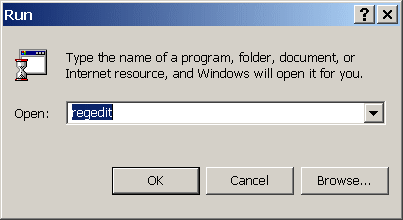
2. Go to Following Registry
HKEY_CLASSES_ROOT\Directory\Background\shell

3. Right Click on shell key in the left pane and create a new key and name it "Control Panel" and


4. then create another sub key within Control Panel and name it "command"
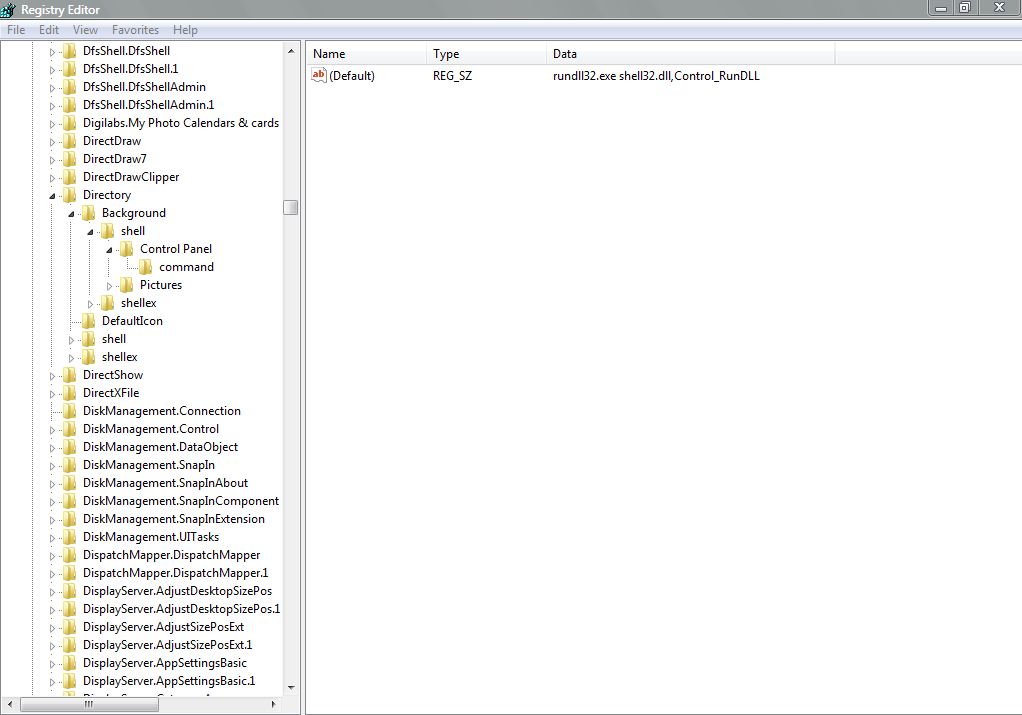
5. Double CLick on String key named "Default" in right pane of command and change its data to following:
rundll32.exe shell32.dll,Control_RunDLL
6. Now when you right click on your desktop, you will notice that Control Panel has been added to right Click context menu

Monday, 26 May 2014
How to Customize Folder and Drive Icons
Customize Folder and Drive Icons
1. Create a text file with following contents
[.SHellClassInfo]
ICONFILE=Place the Path of icon here
2. save it as desktop.ini in the folder whose icon you wish to change
3. To change the icon of drive, Create file with following contents.
[Autorun]
ICON=Place the Path of icon here
4. Save it as autorun.inf
Note: Change the attributes of file to Read only and hidden
Subscribe our Youtube Channel and like our facebook page.
How Chinese hacking felled telecommunication giant Nortel

Sayings:
“We knew they broke the CEO’s account and password, which means they could have got on his computer and his email as him,” Shields says.
Charges:
The United States Department of Justice last week charged five Chinese military officials with committing hacking offences and economic espionage against major US corporations including Westinghouse Electric, aluminium producer Alcoa and US Steel.
Reference:
TO read whole story
UnBlocking Access to USB ports
WHAT TO DO IF COLLEGE HAS BLOCKED USB PORTS ?(Registry change)
This will work only if admin has done registry changes.
1. Open run and type regedit
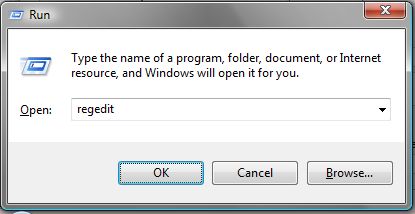
2. Go to following Registry
HKEY_LOCAL_MACHINE\SYSTEM\CurrentControlSet\Services\USBTOR
3. ON the right hand pane, double click on registry key START
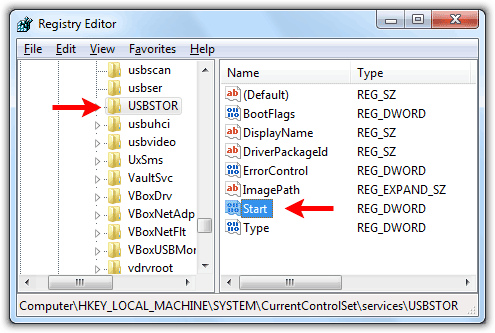
4. To enable USB port change its value from 3 to 4
and to disable port change its value from 4 to 3

Sunday, 25 May 2014
Disable RIght CLick on Desktop and Windows Explorer
Disable Right Click on Desktop
1. Open cmd and type regedit
2. Scroll down to
HKEY_LOCAL_MACHINE\Software\Microsoft\Windows\Current Version\Policies\Explorer

3. In the Right pane, create a DWORD value named NoViewContextMenu in Registry key and set its data value to 1 to disable Right Click context meni on the Desktop, and 0 to enable it or delete the DWORD value to enable it.

4. NOw restart Windows.
Subscribe to:
Posts (Atom)

